About the Client
DigDriveDIY — Neil Koch's YouTube channel covering excavating, trucks, land improvement, and shop builds out of Harlan, IN.
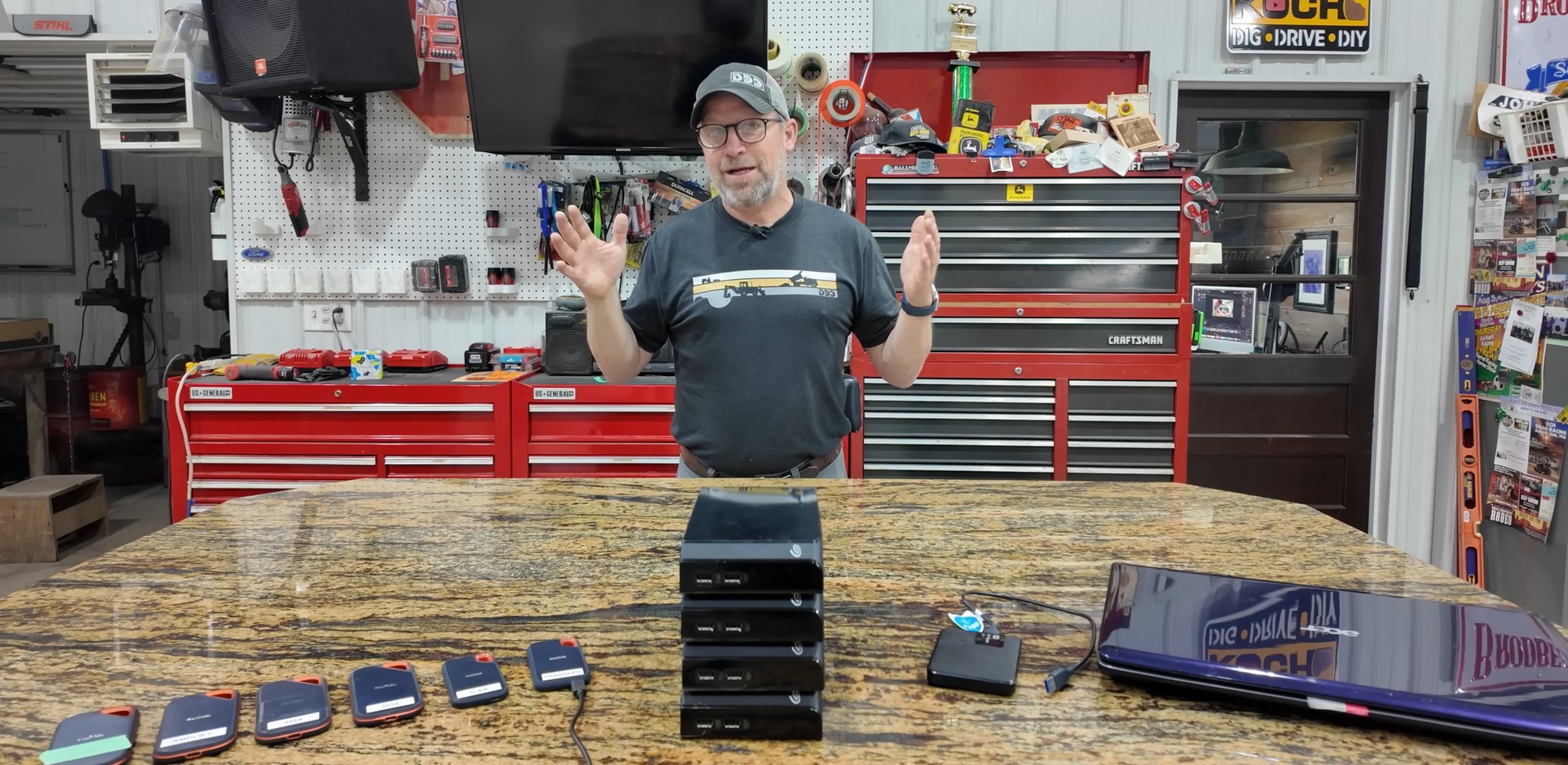
The starting point: seven-plus portable drives representing five years of footage.
The Cold Email That Started It All
I was watching a DigDriveDIY video when I paused on a shot of Neil's workspace. There, on a shelf in his shop, was a row of portable hard drives — stacked, labeled, connected. I recognized that setup immediately, and I recognized what it meant for the data sitting on those drives.
I sent a cold email. I don't do that often, but when I can see someone heading toward a very bad day and I know I can help, I have a hard time staying quiet.
Twenty-Five Terabytes and a USB Hub
Neil wrote back within a couple days. He'd been thinking about a NAS for a while — had researched it once, got overwhelmed by the options, and bought another SanDisk SSD instead. That bought him a few more months. By the time we talked, he had nearly 25TB of footage spread across seven or eight portable drives, all of them running through a USB hub on his M1 iMac. Every port occupied. No redundancy. Editing directly off the USB drives themselves, not local storage.
The part that stuck with me: he had been avoiding the problem. Not because he didn't care, but because the options felt complicated and expensive and he wasn't sure what he actually needed. That's a pretty common place to be.
📋 What We Were Working With
- 25TB across 7–8 portable SanDisk SSDs, daisy-chained through a USB hub
- iMac running with every port occupied; drives being edited directly off USB
- No network storage — swapping drives physically between house and shop
- No redundancy — a single drive failure would mean permanent data loss
- Starting to film in 4K, with no scalable path for growing storage needs
- Storage problem being deferred rather than solved
Choosing the Right Platform
Neil had looked at a couple of options and wanted to talk through them. The two realistic candidates were Synology and Ubiquiti's UniFi Storage line. UniFi is a product I know well — I use it constantly for networking — but at the time, their storage product was still relatively new. It was cheaper, but it lacked the depth of features that Synology had built up over years: backup agents, virtual machine support, a rich ecosystem of apps, and a long track record with exactly this kind of workload. For a content creator building a production system with real data on the line, that track record matters. We went with Synology.
One thing worth clarifying: Neil wasn't particularly interested in automated USB card ingestion, which some NAS platforms (including Synology) offer. He'd rather pull footage to a specific folder at the time he's ready to work with it — not have everything auto-staged somewhere. What he did want was to pull data directly from his camera drive banks into the NAS without routing through the iMac. That's a meaningful workflow improvement: the Mac stops being a bottleneck and the footage ends up exactly where it belongs.
Sizing It Right — and Then Some
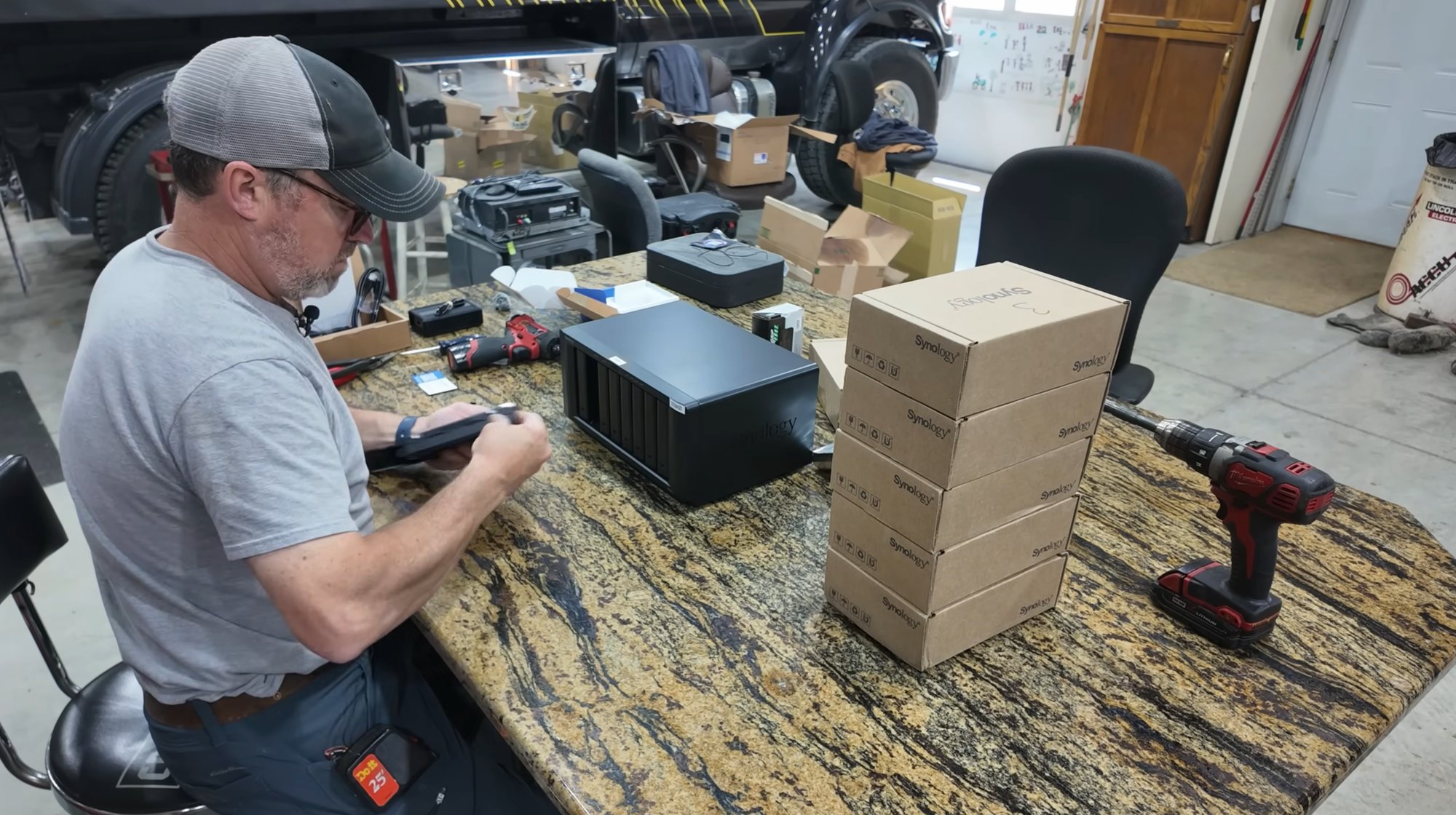
The DS1821+ is an 8-bay unit that can expand up to 18 drives total via two 5-bay expansion chassis. We started with seven 12TB Synology Plus drives and configured them in SHR-2 — Synology Hybrid RAID with two-drive parity. That means the array can survive the simultaneous failure of any two drives without losing a single file. One of those seven drives was designated as a hot spare: a drive sitting in the array, ready to take over automatically the moment any other drive starts to fail. No action required. No frantic middle-of-the-night phone call. The rebuild starts on its own.
"SHR-2 with a hot spare isn't overkill for a working creator. It's the difference between a drive failure being an annoyance and it being a catastrophe."
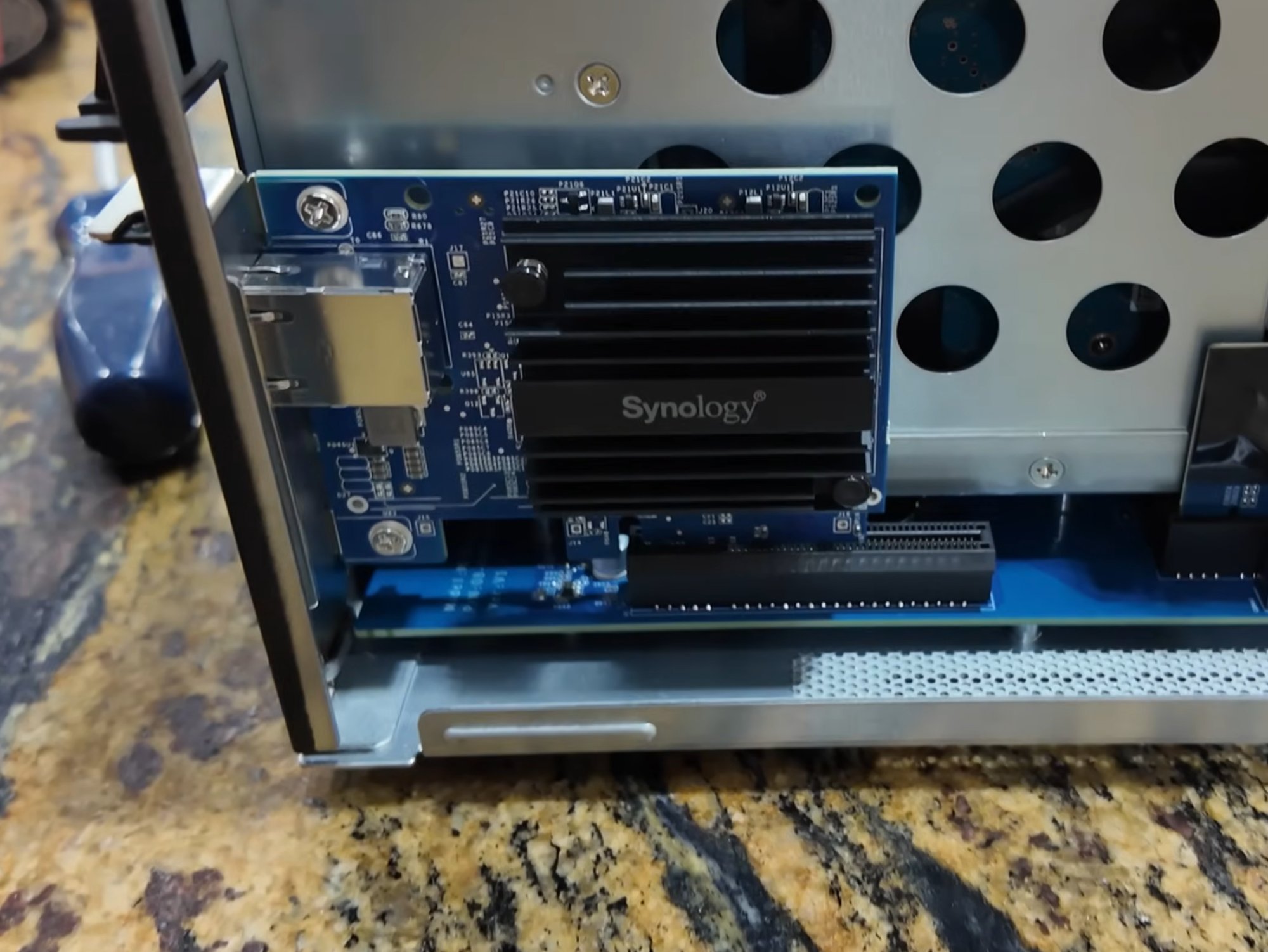
10GbE expansion card installed — ready for faster local transfer speeds when the network catches up.
We also installed a Synology 10GbE network expansion card in the DS1821+. Neil's shop is connected to his house via a buried Ethernet line, and his iMac supports 10Gbps over Thunderbolt. The 10GbE card is in place and ready — when he's ready to upgrade that network path, the NAS won't be the bottleneck.
Remote Configuration
Once the hardware was installed on-site, we did the configuration remotely. Neil sat at his iMac in the studio, I walked him through the DiskStation Manager setup over video call, and we got the storage pools, RAID configuration, user accounts, and network shares built out together. That's one of the things I try to do with every project — make sure the person I'm working with actually understands what they're looking at, not just that it works.
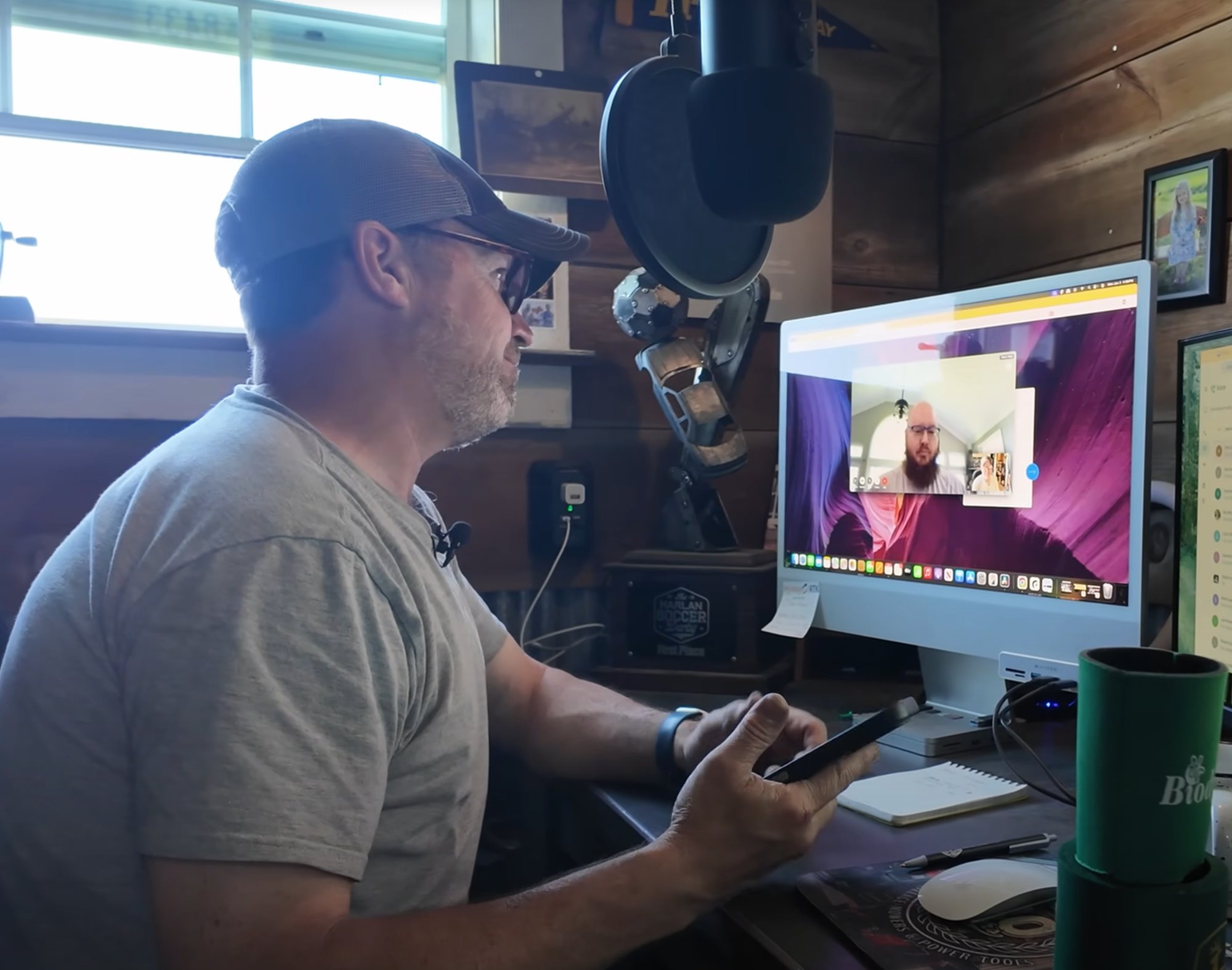
Remote configuration session — DiskStation Manager setup over video call.
The Result — And What's Next
Thirteen days from my first email to a delivered, configured solution. The footage that had been scattered across a wall of drives now lives in one place, protected by a two-drive fault-tolerant RAID array, accessible from anywhere on the network.
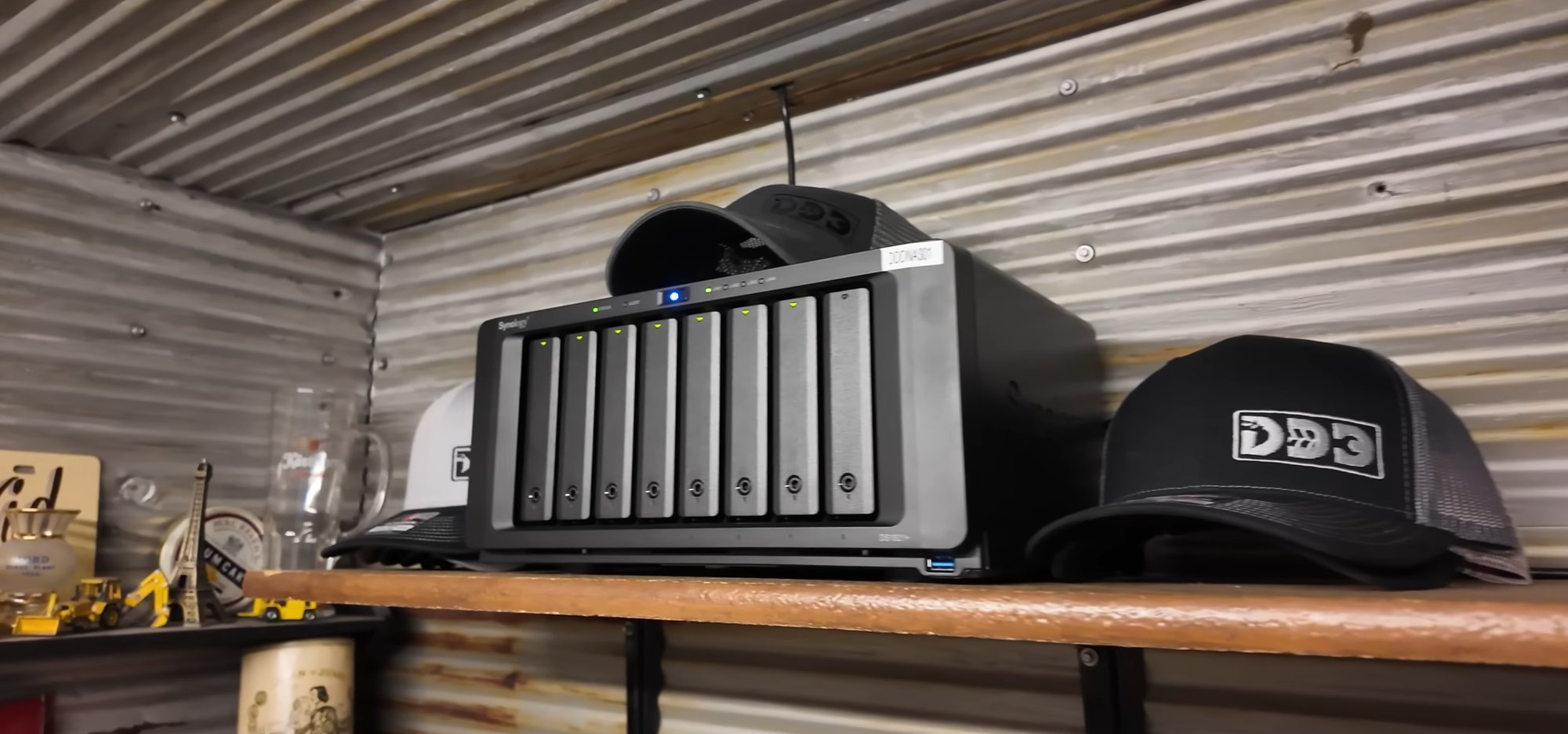
The finished installation — DS1821+ on the shop shelf, all drives healthy.
Neil started the project in May 2025 with seven drives and some breathing room. By early 2026, the array was already at 90% capacity — a testament to how fast 4K production footage accumulates. We recently added an 8th drive. In Synology's SHR configuration, adding a drive is straightforward: install it, confirm the expansion, and the array rebuilds automatically. The 7th drive moved into the active storage pool; the 8th drive became the new hot spare. No downtime, no data migration.
There's still work ahead. Right now, Neil's shop and house are on the same network via a 1Gbps buried Ethernet line — fast enough for everyday access, but not for editing heavy 4K files simultaneously from both locations. Getting to true shared editing across the property will mean looking at a fiber upgrade. That's a future conversation.
There's also the question of offsite backup. A NAS protects against drive failure. It doesn't protect against the building it's in. Fire, flood, theft — the footage that took years to shoot can be gone in minutes. We've seen other creators in the space learn that lesson the hard way. Getting a copy of critical data off-site — whether that's cloud backup, a drive in a second location, or a combination — is the next layer. It's on the roadmap.
✓ What DigDriveDIY Has Now
- Synology DS1821+ with 7x 12TB drives (SHR-2, 2-drive fault tolerance)
- Hot spare drive — automatic rebuild on failure, no manual intervention
- 10GbE expansion card installed and ready for future network upgrade
- Direct NAS ingestion from drive banks — no Mac as middleman
- Network-accessible storage from house and shop
- Expandable to 18 drives total via expansion chassis, no new NAS needed
A Note on Current Pricing
This project was completed in May 2025. Hardware prices — particularly for NAS units and drives — have moved since then due to ongoing supply chain and tariff conditions. If you're pricing out a similar system today, get a current quote rather than anchoring to what this project cost. The fundamentals of the build are the same; the numbers may not be.
What This Means for Other Creators
If you're a content creator running off USB drives, you're not doing it wrong — that's how everyone starts. But there's a ceiling, and most people hit it when they're already in trouble. A NAS isn't just larger storage. It's redundancy, it's network accessibility, it's a system that can grow without forcing you to start over every couple of years.
The conversation that kicks off a project like this is usually short. You tell me what you're working with, I tell you what it would actually take to solve it, and we go from there. No jargon, no pressure. Just a plan that fits what you're actually trying to do.